We all know the drill. A new developer joins the team, or an external contractor needs temporary access to a staging environment, and someone pastes an API key directly into Slack, Jira, or an email.
That credential now lives forever in your chat logs and email servers, creating a massive, unmanageable attack surface.
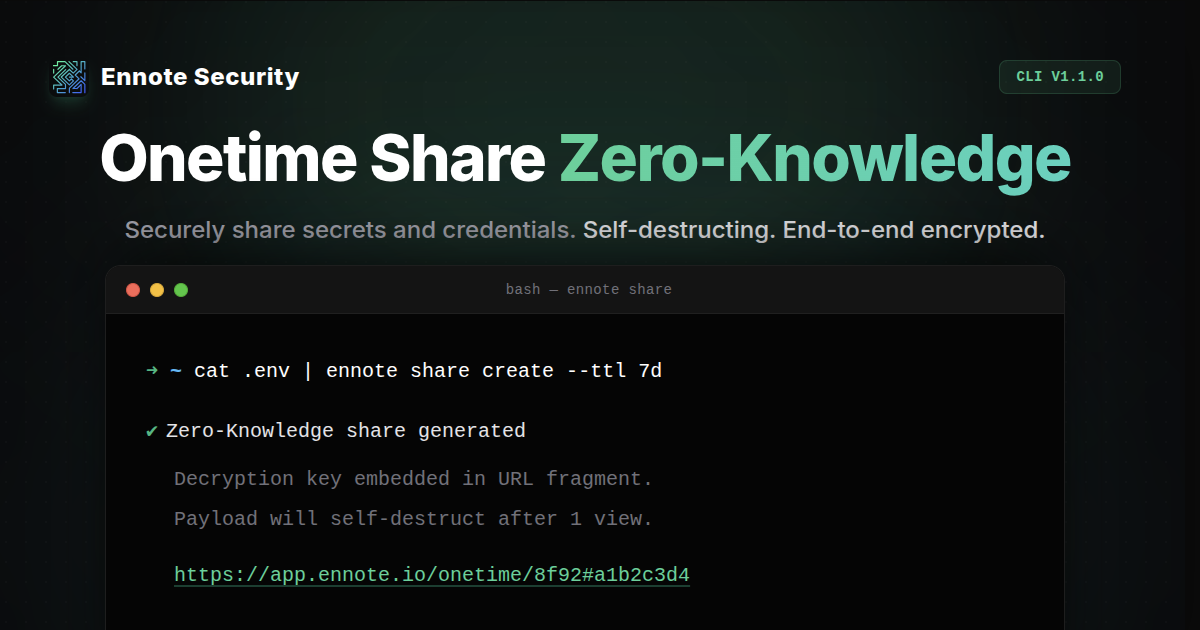
To kill this habit, we built Onetime Share - a Zero-Knowledge, self-destructing secret sharing tool built natively into the Ennote CLI and Web Dashboard.
Built for fast onboarding and external handoffs
We designed Onetime Share to fix the friction of moving credentials across untrusted channels.
-
Employee Onboarding: Give new hires their initial database credentials or VPN keys before their permanent SSO is fully provisioned. The payload self-destructs the moment it’s read. If an unauthorized user intercepts and clicks the link first, the intended recipient will get an error - instantly alerting you to a compromised channel.
-
Contractor & Vendor Access: Need to send a temporary
.envfile or service account token to an external agency? Set a strict expiration (TTL) and require a password. Send the link via email and the password via Slack, giving you easy, out-of-the-box multi-channel verification.
True zero-knowledge architecture
When you create a Onetime Share, the data is cryptographically locked on your machine before it's sent to our servers.
Here is how it works: the decryption key is embedded directly into the URL's fragment (the #key_salt portion). Because modern browsers and HTTP clients never transmit URL fragments to the server, Ennote acts strictly as a blind storage provider. We store the encrypted cipher, but we mathematically cannot read your payload. Decryption happens entirely in the recipient's local memory.
The CLI workflow
You can create and consume secure shares directly from your terminal. We fully support Unix piping so your plaintext secrets never touch your shell history.
Create a Share Share a quick string, or pipe an entire configuration file with a custom expiration time and password:
# Quickly share a secret string
ennote share create "my-super-secret"

# Pipe a file, set a 7-day expiration, and require a password
cat config.json | ennote share create --ttl 7d --password "1234"
Read and Inject Recipients can read the decrypted payload in their terminal, or extract specific keys and inject them directly into a local process to maintain a zero-persistence workflow:
# Read the full shared payload
ennote share get "https://app.ennote.io/onetime/1234#key_salt"

# Extract a specific key and inject it straight into a deployment script
ennote share get "https://app.ennote.io/onetime/1234#key_salt" -k "api_key" -- ./deploy.sh
Available in the web UI
Not everyone lives in the terminal. Product Managers, HR, and Support teams can use the Ennote Cloud to generate shares. Just paste your credential, set your expiration policy, and generate a secure link in seconds.
Try it today
Onetime Share is live now. Upgrade your Ennote CLI via Homebrew (or your package manager of choice) to get started, or log into the web app.
For a complete breakdown of the technical details and command flags, check out the official ennote share documentation.